
Pay with USDT in three steps
Prepare USDT → Generate payment details on the order page → Withdraw from Binance to the provided address. The order is confirmed automatically after receipt.
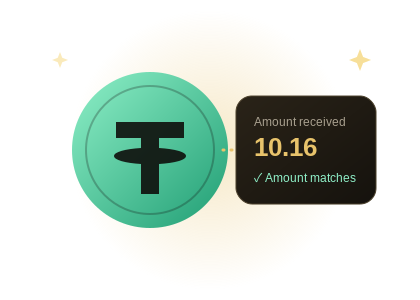
The order page shows Recipient's actual receipt. When withdrawing from an exchange, the fee usually Deducted from the quantity you enter—if the order requires 10.17 and you enter 10.17, but the recipient actually receives only 9.17, the order cannot be confirmed automatically.
Correct approach: check the withdrawal confirmation page's 'Received amount / Actual receipt', adjust the withdrawal amount until this line matches the amount on the order page Exactly match (including decimal places). See "How to calculate fees ".
Prepare your account and USDT
No Binance account yet: via Use this link to register and download the Binance app (our referral link adds no registration fee), then register and verify your identity using your own information.
No USDT in your account: On the app home screen, tap "Add funds" → "C2C buy crypto" (called P2P / Express buy in some versions), select USDT, and buy with CNY through the platform's order process. The USDT will arrive in your funding account.
- Buying coins and paying this site are separate steps. A successful coin purchase does not mean your order is paid.
- Keep a little extra USDT in your account for withdrawal fees beyond the order amount (TRC20 is generally around 1 USDT; BEP20 is lower. Follow the live fee shown in the app).
- Communicate and pay only within Binance for C2C trades. Do not mark "Paid" before actually paying.
- Newly bought coins may require a waiting period before withdrawal. Confirm USDT withdrawals are available before generating payment details here, to avoid order expiry while waiting.
- Download installers only from official channels. Never give anyone passwords, verification codes, private keys, or seed phrases, including our support.
If you already have USDT or use another exchange / wallet such as OKX, the withdrawal steps are similar. Skip to Step 2.
Generate payment details on this site
Choose a plan here, enter your email and submit the order. In the payment section on the order page, click USDT · TRC20 payment or USDT · BEP20 payment, the page shows details unique to this order:
- Network: TRON (TRC20) or BNB Smart Chain (BEP20)
- Receiving address
- Exact amount (in USDT)
- Validity Countdown
| Order page shows | For Binance withdrawals, select the network | Address characteristics |
|---|---|---|
| USDT · TRC20 | TRON(TRC20) | Starts with T |
| USDT · BEP20 | BNB Smart Chain(BEP20) | Starts with 0x |
Addresses starting with 0x look the same on networks such as Ethereum and Polygon, but these are different networks,Do not switch networks. Always use the address and amount on the current order page. Do not use details from chats or old orders, or convert the amount yourself using an exchange rate.
Withdraw from Binance to the order address
- Open the Binance app and go to "Assets" → "Withdraw" (called "Send," "Transfer out," or "Withdraw crypto" in some versions).
- Select asset USDT, select 'On-chain withdrawal / Send to external address',Do not Select "Send to Binance user" or Binance Pay.
- Return to our order page, tap "Copy address," paste it into the Binance address field, and check the first and last characters.
- Select the same Network shown on the order page (TRC20 or BEP20).
- Enter the quantity and focus on the confirmation page's Amount received, adjusting it to exactly match the order-page amount (see "How fees are calculated" below).
- Recheck currency, network, address, received amount and remaining order time. Once correct, complete security verification and submit.
- Return to our order page and wait. After blockchain confirmation, it automatically changes to "Paid." Keep the transaction hash (TxID) from your withdrawal history.
Entry names vary slightly by app version. If Binance warns of address risk, paused withdrawals or required review, follow its guidance first; do not bypass it.
How to calculate fees to avoid underpaying
Remember one criterion: "Amount received" on the confirmation page = USDT amount required on the order page.
Example (illustrative numbers only): the order requires receipt of 10.17 USDT and Binance shows a 1 USDT withdrawal fee.
| How Binance deducts fees | What withdrawal quantity to enter |
|---|---|
| The fee is deducted from the amount you enter | Enter 11.17 and confirm "Amount received" is 10.17 |
| Fee charged separately from balance | Enter 10.17, and keep another 1 USDT available for the fee |
- Do not remove decimals, round the amount, or tap "All."
- Do not split the transfer or send a small "test" payment first. The system identifies orders by "address + exact amount" and cannot automatically confirm a mismatched amount.
- If minimum withdrawal limits or other restrictions prevent the exact receipt amount, do not pay yet. Contact support or use Alipay.
After transferring
Keep the order page open to check automatically every 10 seconds. You can also close it: the system keeps checking in the background and emails you after confirmation. From withdrawal submission to order confirmation, it usually takes 1–5 minutes, depending on exchange review and on-chain confirmations.
Binance showing "Withdrawal successful" does not mean this site has confirmed payment; on-chain confirmation is still required. Once the order becomes "Paid," delivery follows the timing stated on the product page.
FAQ
Transferred already, but order still shows unpaid?
Do not pay again yet. Check each item: USDT currency, correct network, correct address, received amount exactly matching the order, and whether the order has expired. If confirmed on-chain but the order has not changed, take the Order number, transaction hash (TxID), network and amount received Send to support for manual verification.
Binance says "internal transfer," or the withdrawal record has no blockchain hash?
In some cases Binance completes a transfer internally without an on-chain record, so our system cannot identify it automatically. Your money is not lost: send support your order number and a screenshot of the Binance withdrawal record, with unrelated information hidden. After receipt is verified, the order will be confirmed manually.
Order expired, but you have not transferred yet?
Do not pay using old details. Return to the order page and click USDT payment again to generate a new amount and expiry time.
Transferred after expiry, or sent the wrong amount?
Stop. Do not send a difference payment or another full payment yourself. Keep the TxID and contact support to verify the actual receipt before handling a shortfall, confirming the order, or returning funds.
What if I chose the wrong network or currency?
Blockchain transfers are usually irreversible. Save records immediately and contact official Binance support and our support. Recovery depends on the circumstances and cannot be guaranteed.
Withdrawal button disabled, or told to wait?
Follow Binance's available withdrawal balance, verification status, risk controls and minimum withdrawal notices. Once withdrawals are available, return here and generate new payment details. Do not bypass platform restrictions to rush payment.
Can USDT orders be refunded?
As with other payment methods, payments are nonrefundable, and delivered codes cannot be returned or exchanged. Only if we cannot fulfill an order for reasons attributable to us will USDT be returned to your supplied address through the original network. See Terms of service.
Final checks before payment
- Order is still valid
- The asset is USDT and the network matches the order page
- Address copied from the current order page
- "Amount received" matches the order amount exactly, including all decimal places
- Choose a blockchain withdrawal, not an internal platform transfer
- Site order number saved; save the TxID after transfer
This tutorial provides operating instructions, not investment advice. Use it only where permitted in your region and where the platform offers you service. Having issues Contact support @drmrzhong.